

Did you know you can tune LLMs manually on a scale of creativity to correctness? News to me! I just learned about “temperature.” If you’re not using this already, read on for the details on how to use it in ChatGPT, Claude, and Gemini. I can’t get enough. I’m 1.5ing everything. I might finally become funny.
In Chat GPT
🔥 What temperature means
Lower temperature (0.0 – 0.3)
Deterministic, factual, precise, repetitive
Good for: math, legal docs, summarizing, extracting data, code you need to run
Medium temperature (0.4 – 0.7)
Balanced, still grounded, but with light variation
Good default
High temperature (0.8 – 1.5+)
Creative, random, imaginative
More humor, metaphor, risk-taking
Good for: brainstorming, stories, product names, taglines, “surprising answers”
🎛 How to use it in prompts
You can explicitly tell the model:
“Answer with temperature 0 — be literal and strictly factual.”
“Use a temperature around .5 — thoughtful, but grounded.”
“Respond at temperature 1.2 — bold ideas, no safe answers.”
“Give me three versions at low, medium, and high temperature for comparison.”
Even though you’re not setting the API parameter directly in ChatGPT, the model understands this instruction and adjusts style.
📌 Practical prompt patterns
Try these phrases depending on your goal:
🧠 When you need accuracy
“Temperature 0 — list the key steps for depreciating equipment according to GAAP.”
✍️ When drafting content
“Temperature .6 — rewrite this email to a CFO with clarity and authority.”
💡 When brainstorming big, weird ideas
“Temperature 1.3 — Generate 10 insane marketing stunts we could pull off for Cannes.”
🎨 When you want options
“Give me 3 variations:
• temp 0 = literal
• temp .7 = creative
• temp 1.2 = unexpected”
🧪 Pro tip
If the model feels too boring → ask for higher temp
If it’s hallucinating or hand-wavy → lower temp
In Claude:
In Cluade it’s a bit different:
Temperature range: 0.0 to 1.0 (defaults to 1.0)
When to adjust it:
Lower values (0.0-0.3): For analytical tasks, factual questions, multiple choice, or when you need consistent, focused outputs
Higher values (0.7-1.0): For creative writing, brainstorming, or when you want more diverse and varied responses
In Gemini
Gemini describes Temperature as a dial between predictability and imagination.
You can’t adjust Temperature in the standard consumer Gemini web app (gemini.google.com). Why? In Pro Search, Gemini often performs multiple searches and internal "thinking" steps. Google manages the temperature dynamically during this process, for example, it might use a Temperature of 0.0 while extracting data from a webpage, but a 1.0 while writing the final summary.”
To manually force temperature in Gemini, you have to use Google AI Studio or the Gemini API.
🛠️ How to Adjust It
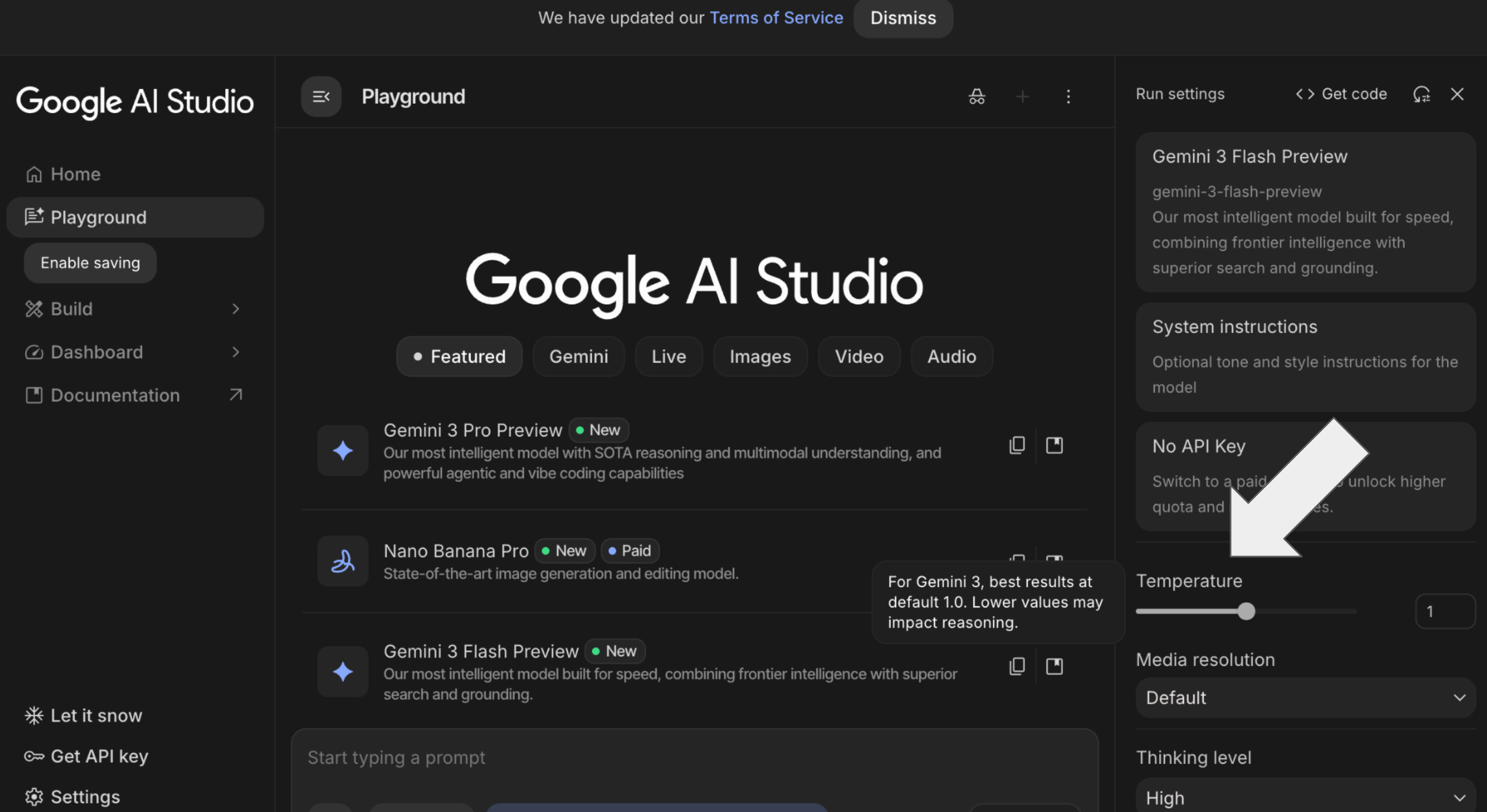
If you want to play with this setting, you should use Google AI Studio:
Open a Chat: Start a new prompt in the center pane.
Locate the Sidebar: On the right-hand side, look for the Run Settings or Model Settings panel.
Adjust the Slider: Move the Temperature slider.
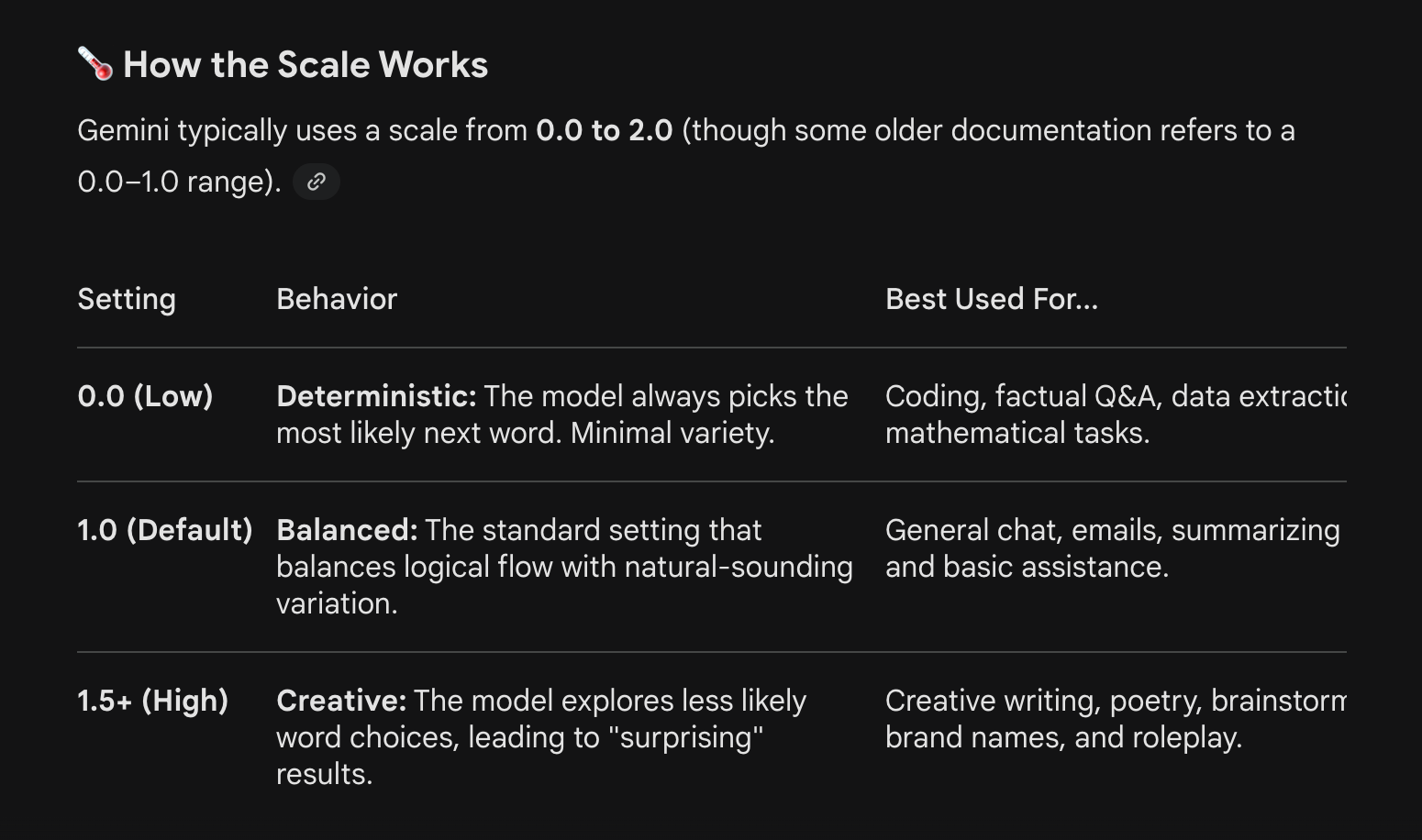
Slide Left (toward 0): For “just the facts” and rigid structure.
Slide Right (toward 2): For “wild and creative” ideas.
⚠️ Important Considerations for Gemini 3
If you are using the latest Gemini 3 models (Pro or Flash), there is a significant shift in how you should use this tool:
Stick to 1.0: Google officially recommends keeping Temperature at 1.0 for Gemini 3. Because these models use advanced “Thinking” and reasoning paths, forcing a low temperature (like 0) can actually cause the model to get stuck in loops or degrade its reasoning performance.
Use “Thinking” Levels Instead: Instead of lowering temperature for accuracy, try adjusting the Thinking Level (low, medium, or high) in the API settings. High thinking provides better accuracy without the risks of manual temperature tuning.
Pro Tip: If Gemini is being too “wordy” or “robotic,” lowering the temperature to 0.7 is often a safer “sweet spot” than dropping it all the way to 0.
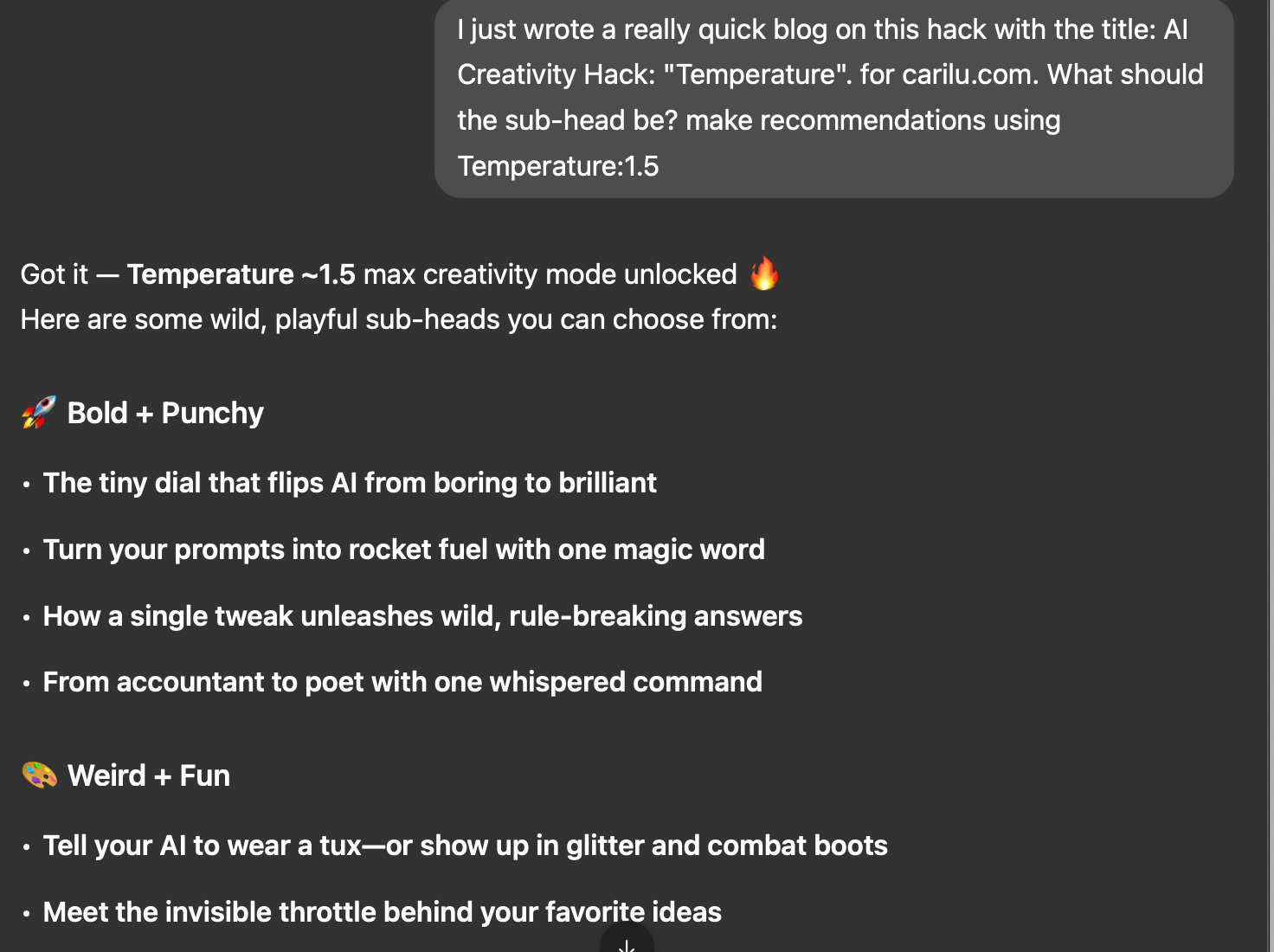
Did I just get too geeky for carilu.com? It just seemed like such a fun unlock, I couldn’t help sharing… or using it immediately myself:
GrowthX
I’m dedicating this post to GrowthX, the AI-native content agency I’ve been lucky enough to work with up close. I’ve followed the founder’s work for years while teaching myself SEO and AEO, and recently chose GrowthX as the content partner for Lovable. Their team blends AI generation with human craft, and the results are real: meaningful traffic lifts, LLM referrals, and pipeline.
I’m now collaborating with them more directly and learning a ton about how AI + content can scale together. If you’re trying to show up in search and AEO, publish more without sacrificing quality, or explore AI-native content models, GrowthX is worth a serious look.
Carilu Dietrich is a CEO and CMO advisor. Current and past clients include Lovable, Weights & Biases, Sprout Social, Bill, 1Password, Miro and others. Carilu helps leaders operationalize the chaos of scale, see around corners, and improve marketing and company performance.